- Navigate to the sites page
- Check that site isn’t already in the system by searching the Legal Subdivision (LSD). When searching make sure to include necessary 0’s, ex. 01-02-034-05W6.
- Once you confirm the site isn’t in the system click the Add a New Site button in the top left of the page.

- From here fill out all of the information you have available. Some fields are required when filling out the site, required fields have a blue dot next to the field name. After filling out all relevant site information hit submit in the bottom right hand corner. An alternative option to this is using the Import a Site button in the top right corner.
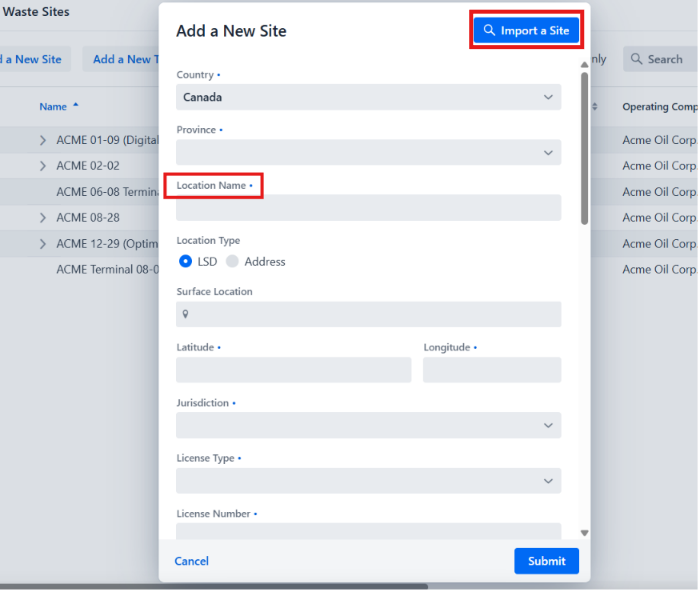
- When using the Import a Site button you will be able to search for a site via the UWI, License Number, Lat/Long, or site name. This will bring up options to prepopulate the site by clicking on the correct site from the search results.
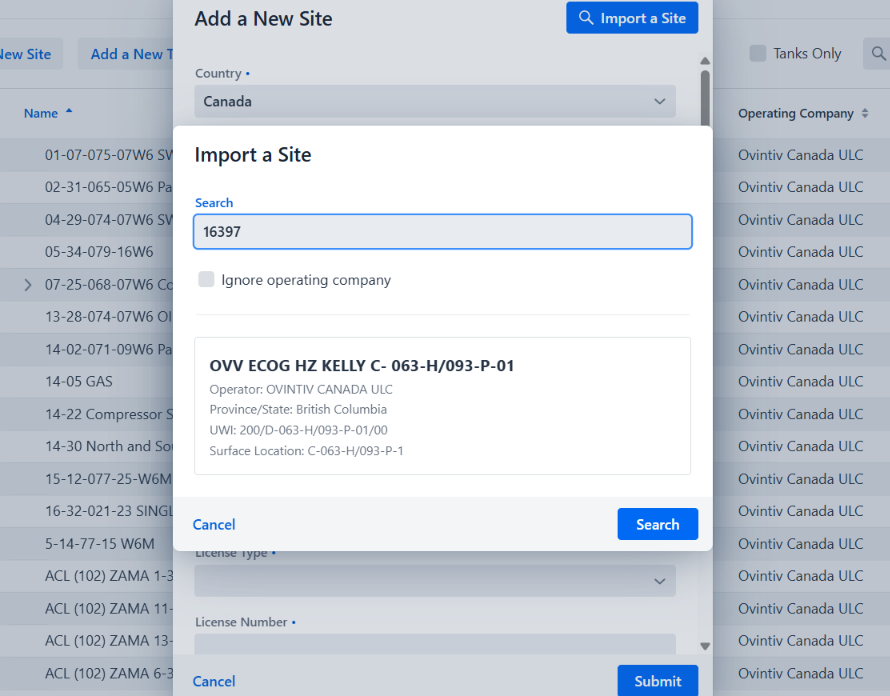
- Once prepopulated, check over the information, filling in any relevant fields that are missing, and then hit submit in the bottom right hand corner.
English - Canada
